

Back-Office Accounting
Excellence
How to Migrate to Xero: SME Guide

Migrating your accounting system can feel like a high-stakes operation. For many Christchurch business owners, the thought of moving years of financial history from a familiar desktop program to a cloud-based platform like Xero brings a mix of excitement and anxiety. You know the move promises greater efficiency and real-time data, but the risks of data loss, compliance errors, and operational downtime are significant concerns.
The truth is, a successful migration is not just about transferring data; it is a strategic opportunity to clean, reorganise, and upgrade your entire financial engine. It is about setting a new foundation for growth, powered by automation and smarter insights. This guide provides the exact steps to transition your Christchurch business to Xero securely, ensuring your historical data is preserved and your operations are optimised for the future.
Table of Contents
Preparing Your Christchurch Business for a Seamless Xero Migration
A smooth transition to Xero begins long before any data is moved. The quality of your preparation directly determines the success of the outcome. Rushing this stage often leads to costly post-migration clean-up and undermines the very efficiency you are trying to achieve. By taking a methodical approach, you ensure the new system starts with clean, reliable data, free from the legacy issues of your old software.
This initial phase is about creating a clean break. It involves reconciling every account, verifying compliance details, and making strategic decisions about what historical information is truly essential for your future reporting needs.
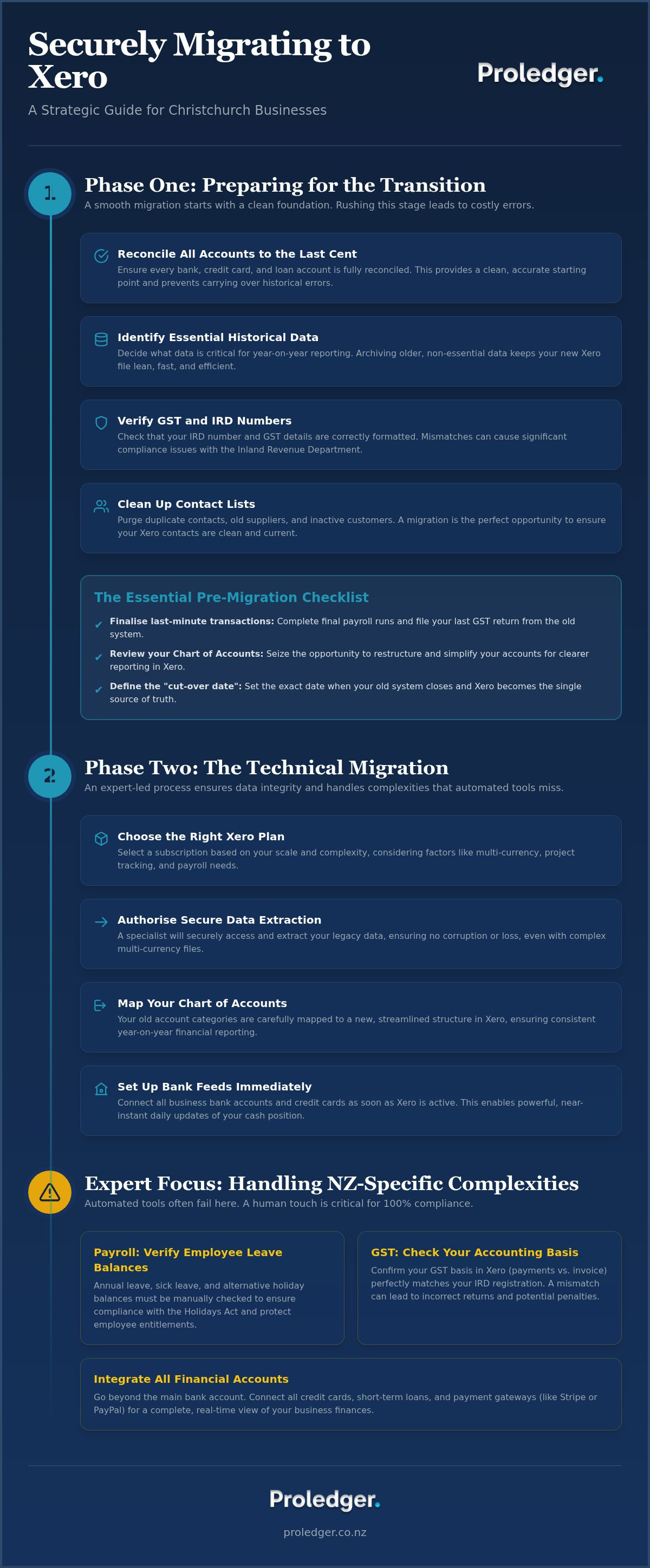
- Reconcile all accounts to the last cent: Before migrating, every bank account, credit card, and loan account in your current system must be reconciled. This ensures a clean, accurate starting point in Xero and prevents historical errors from corrupting your new file.
- Identify essential historical data: You may not need to bring over a decade of transactional data. Decide what is critical for your Christchurch business's year-on-year reporting and what can be archived. This streamlines the conversion and keeps your new Xero file lean and fast.
- Verify your GST and IRD numbers: Ensure your business's IRD number and GST details are correctly formatted and ready for Xero integration. A mismatch here can cause significant compliance headaches with the Inland Revenue Department.
- Clean up your contact lists: Your current software is likely cluttered with duplicate contacts, old suppliers, and inactive customers. A migration is the perfect opportunity to purge this list, ensuring your new Xero contacts are clean and current.
The Essential Pre-Migration Checklist
To ensure nothing is missed, follow this final checklist before engaging a conversion specialist. These steps create a hard line between your old and new financial worlds, guaranteeing data integrity.
- Finalise last-minute transactions: Complete all outstanding payroll runs and file your final GST return from your old system. This closes the book on the previous software from a compliance standpoint. For more on avoiding common errors, see our guide to stress-free GST filing in NZ.
- Review your Chart of Accounts: Export your current Chart of Accounts. Is it overly complex or poorly organised? The move to Xero is the ideal time to restructure it for clearer, more insightful management reporting.
- Define the "cut-over date": This is the single most important date in your migration. It is the day your old system officially closes and Xero becomes your single source of truth for all financial records. For example: "As of 1 April 2026, all financial transactions will be recorded exclusively in Xero."
The Step-by-Step Process of Migrating Your Data to Xero
Once your data is prepared, the technical migration can begin. While automated tools like Jet Convert are powerful, they often struggle with the nuances of New Zealand-specific business conditions, such as complex payroll leave balances or custom GST codes. An expert-led process ensures these complexities are handled correctly, avoiding manual adjustments and potential errors down the line. At Proledger, we manage this entire process under a fixed-fee structure, giving you cost certainty and eliminating the risk of surprise bills.
This stage involves mapping your old data structure to Xero's modern framework and establishing the automated connections that will power your new, efficient back-office.
- Choose the right Xero plan: Select a Xero subscription that matches your business scale and complexity. Factors to consider include multi-currency needs, project tracking, and the number of employees on payroll.
- Authorise secure data extraction: A migration specialist will securely access your legacy data file. They will ensure everything, including files with multi-currency transactions, is extracted without corruption or loss.
- Map your Chart of Accounts: Your old account categories will be carefully mapped to the new, streamlined Chart of Accounts in Xero. This critical step ensures your financial reporting remains consistent and comparable year-on-year.
- Set up bank feeds immediately: As soon as the Xero file is active, connect all business bank accounts and credit cards. This activates Xero's powerful bank reconciliation feature, allowing for near-instant daily updates of your cash position.
Handling Complex Data: Payroll and GST
The two areas where automated migrations most often fail are payroll and GST. These require a human touch to ensure 100% compliance with IRD regulations and to protect the integrity of your employee entitlements.
- Manually verify employee leave balances: Annual leave, sick leave, and alternative holiday balances are notoriously difficult to migrate automatically. An expert should manually check and verify each employee's opening balance in Xero to ensure accuracy and compliance with the Holidays Act.
- Check your GST accounting basis: Confirm that your GST basis in Xero (payments vs. invoice basis) perfectly matches your official registration with the IRD. A mismatch can lead to incorrect GST returns and potential penalties.
- Integrate all financial accounts: Beyond just your main bank account, ensure all credit cards, short-term loan accounts, and payment gateways (like Stripe or PayPal) are connected. This provides a complete, seamless flow of transaction data for a true real-time view of your business finances.
Post-Migration Optimisation: Beyond the Basics with AI and ERP
Completing the migration is not the end of the journey; it is the beginning. You have now moved your financial data to a powerful cloud ecosystem. The next step is to leverage this new platform to unlock unprecedented levels of efficiency and insight. This is where you move beyond simple bookkeeping and into strategic financial management, turning your accounting function from a cost centre into a growth driver.
With a clean Xero file as your foundation, you can now connect powerful tools, automate manual processes, and gain instant clarity on your business's performance.
- Implement advanced ERP solutions: Use Xero’s extensive app ecosystem to build a tailored Enterprise Resource Planning (ERP) system for your Christchurch operations. Integrate tools for inventory management, job costing, or advanced CRM to create a single, unified data environment.
- Connect to an AI-enabled analytics platform: Link your new Xero data to Proledger’s AI-driven platform. This gives you instant financial health checks, cash flow forecasts, and answers to complex business questions without waiting for month-end reports. Explore the best AI bookkeeping software to see what is possible.
- Establish a fixed-fee bookkeeping rhythm: Move to a predictable, monthly fixed-fee model for your bookkeeping and compliance. This keeps your Xero file pristine and "investor-ready" at all times, eliminating year-end stress and surprise accounting bills.
- Train your local Christchurch team: Ensure your team understands the new workflows and can leverage Xero's features effectively. Proper training maximises your return on investment and embeds efficiency throughout the business.
Leveraging AI for Instant Financial Insights
The ultimate reward for migrating to the cloud is the ability to harness your financial data for strategic advantage. AI-powered tools can analyse your transactions, identify trends, and provide insights that were previously impossible to access without a dedicated analyst.
- Automate time-consuming tasks: AI and automation can save New Zealand small businesses up to 15 hours a week in manual data entry, invoice processing, and reconciliations. This frees up your team to focus on high-value activities that drive growth.
- Set up custom management accounts: Go beyond standard profit and loss statements. Create real-time dashboards in Xero to track the specific Key Performance Indicators (KPIs) that matter most to your Christchurch business, from gross profit per project to customer acquisition cost.
- Scale with a strategic ERP: As your business grows, your systems need to scale with you. A well-planned migration is the first step towards a full ERP implementation that can manage increased complexity. Learn more in our ERP implementation guide for NZ SMEs.
Frequently Asked Questions
How long does it take to migrate to Xero in Christchurch? A standard migration, including data preparation and verification, typically takes 5-10 business days. The timeline can vary depending on the complexity of your file, the volume of historical data, and the state of your current records. Will I lose my historical financial data during the conversion? No. When handled by an expert, your historical data is securely preserved. You can choose to bring over several years of transactional history into Xero, while older data can be stored as an accessible archive for future reference. Can I migrate my payroll data directly into Xero? Yes, but it requires careful handling. While payroll history can be moved, employee details, pay templates, and crucial leave balances must be manually verified to ensure 100% accuracy and compliance with New Zealand's employment laws. Why should I use a Christchurch-based bookkeeper for my migration instead of an automated tool? An automated tool can only perform a technical data transfer. A Christchurch-based expert provides crucial local context, understands NZ-specific compliance for GST and payroll, and offers strategic advice on how to structure your new Xero file for optimal performance. They manage the entire project, mitigating risks that pure software cannot address.Disclaimer
The information in this article is general in nature and has been prepared for informational purposes only. It does not constitute accounting, tax, financial, or legal advice, and should not be relied upon as such.
While Proledger Consulting Limited takes care to ensure accuracy at the time of publication, laws, rates, and regulations (including NZ tax and employment law) change regularly, and this content may not reflect the most current position.
Before acting on any information in this article, we recommend you seek advice tailored to your specific circumstances. Contact us at proledger.co.nz or speak with a qualified professional. Proledger Consulting Limited accepts no liability for any loss or damage arising from reliance on this content.
© Proledger Consulting Limited. All rights reserved.
Related articles



Book a Free Consultation
Chat with Proledger about your accounting, GST, or bookkeeping needs — no obligation.
Book a Free ConsultationMeet Our Experts